Anopa Catalog
Core product display engine that replaces a Framer CMS Collection List with live Shopify products, applying all active filter, sort, and search state across Catalog, Wishlist, and Search modes.
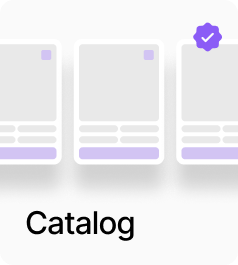
AnopaCatalog is the core display engine that connects a Framer CMS Collection List to live Shopify product data. It intercepts the list’s render function and replaces the items it would show with the filtered, sorted, and paginated set from the active filter store — so the CMS list handles all the visual design while Anopa controls which products appear and in what order. It supports three modes: Catalog for standard product listing, Wishlist to show only products the user has favourited, and Search to read from the ?q= URL parameter. A responsive slot lets you connect a separate touch-optimised CMS list that swaps in at a configurable breakpoint via matchMedia. Animation, pagination (Load More or Next/Previous), responsive layout overrides, and a configurable loading state are all built in.
Property Controls
Mode
catalog
Catalog = standard product listing. Wishlist = shows only favourited products. Search = reads ?q= from the URL.
Respond to Search
true
When off, this catalog ignores the search input but still responds to sidebar filters and sort.
Desktop Collection
—
Connect your Framer CMS Collection List for desktop. This is the primary slot.
Touch Collection
—
Optional. A separate CMS list for touch/mobile. Swaps in at the tablet breakpoint via matchMedia — only one slot is in the DOM at a time.
Loading State
—
Shown during the initial product load and optionally on filter changes.
Empty State
—
Shown when no products match the active filters.
Search Prompt
—
Shown in Search mode when no query has been entered yet. Only available in Search mode with Respond to Search on.
Loading
—
Controls initial load behaviour: Show on Initial Load toggle, Show on Filter Change toggle, and Duration in ms.
Layout
—
Grid or Stack layout overrides applied to the CMS collection wrapper. Includes columns, gap, alignment, padding, and background.
Animation
—
Entry animation for catalog items when filters change. Enable toggle, preset (Fade, Slide Up/Down/Left/Right, Scale, Blur), duration, stagger, delay, and easing.
Responsive
—
Tablet and phone layout overrides. Each has an enable toggle, a breakpoint, and its own layout settings.
Pagination
—
Enable toggle, type (Load More or Next/Previous), items per page, button labels, and button styling.