Cart Counter
Displays the live number of items in the cart, with optional prefix and suffix text.
What it does
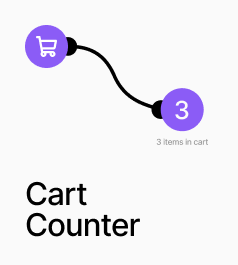
AP_CartCounter displays the live number of items in the cart. It derives the count directly from the cart store's items array, summing quantities, so it always stays in sync regardless of how items are added or removed.
How to set it up
Drop this anywhere in your layout — typically in the navigation bar next to a cart icon. Style it using the Font and Text Color controls. No product ID or slot connection is needed.
AP_CartCounter
Property Controls
Font
14px / 1.4em
Typography applied to the prefix, count number, and suffix together.
Text Color
#ffffff
Color of all counter text.
Prefix
—
Text rendered before the number. Example: "Cart ("
Suffix
—
Text rendered after the number. Example: " items)"
Gap
0px
Horizontal spacing in px between the prefix, number, and suffix. Range: 0–48.
Canvas Preview
0
Static count shown on the Framer canvas for layout and styling purposes only. Has no effect at runtime.
Canvas: Live Count
false
When on, the canvas shows the actual live cart count instead of the Canvas Preview value.
Hide When 0 (runtime)
false
When on, the component renders nothing at runtime if the cart is empty. The canvas always shows for layout purposes regardless of this setting.