Cart Subtotal
Displays the cart total cost, re-fetching variant prices per active market to show a localised total.
What it does
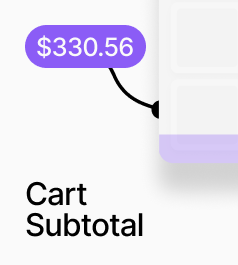
AP_CartSubtotal displays the cart's total cost. When a market is active, it re-fetches each variant's price in context to show the localised total rather than the stored base price. Currency symbol and code are automatically populated from the active market.
How to set it up
Place AP_CartSubtotal anywhere in your cart drawer. No configuration is needed for currency handling, as the symbol and code are drawn from the active market. For design work in the canvas, set a preview total value so you can style the component without needing live cart data.
Key behaviours
- Calculates the total by fetching each variant's market-context price via the Shopify Storefront API
- Falls back to stored prices when no market is set
- Fades to 50% opacity during re-fetching and restores automatically when complete
- Canvas shows a static preview price for design work
AP_CartSubtotal
What it does
- Displays the total cost of all items currently in the cart.
Property Controls
Preview Total
240.00
Canvas-only static value used for design and styling. Has no effect at runtime.
Decimals
2
Number of decimal places shown in the total. Range: 0–6.
Show Symbol
true
Show the currency symbol before the total (e.g. $, £, €). Auto-read from the active market.
Show Code
false
Show the currency code after the total (e.g. USD, GBP). Auto-read from the active market.
Font
16px / 1.4em
Typography for the displayed total.
Color
#111111
Text color for the displayed total.