Variant Price
Displays the selected variant's current price and compare-at price in PDP or Card mode, with market-aware pricing.
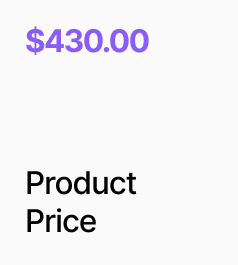
AP_VariantPrice displays the current price and compare-at price for a product. In PDP mode (no Product ID set) it reads from the shared variant store and updates live as the user selects different options. In Card mode (Product ID provided) it fetches the price independently for use on product listing cards. Both modes are market-aware — prices re-fetch in the active market context when the region changes, with currency symbol and code drawn automatically from the active market. Three display modes are available: Both shows sale price alongside the compare-at, Price shows only the current price, and Compare At shows only the original price. Canvas preview values let you style the component without a live store connection.
Property Controls
Product ID
—
Leave empty for PDP mode — reads from the variant store. Set a product ID to use on product cards, fetching price independently.
Prefer Available
true
In Card mode, prefer the first available-for-sale variant when fetching the price. Hidden when Product ID is empty.
Display
both
Both = current price + compare-at. Price = current price only. Compare At = compare-at price only.
Layout
row
Row = price and compare-at side by side. Stack = price above compare-at. Only shown in Both mode.
Preview Price
120.00
Canvas-only preview value for the current price. Has no effect at runtime.
Preview Compare At
160.00
Canvas-only preview value for the compare-at price. Has no effect at runtime.
Price
—
Current price styling. Includes font, color, decimal places, currency symbol toggle, and currency code toggle.
Compare At
—
Compare-at price styling. Includes show toggle, hide-when-zero, strikethrough, font, color, decimal places, and currency format toggles. Hidden in Price-only mode.