Anopa Slider
Full-featured image/content slider supporting Slots mode (component slots) or CMS mode (CMS gallery field), with multiple transitions, navigation styles, autoplay, and input controls.
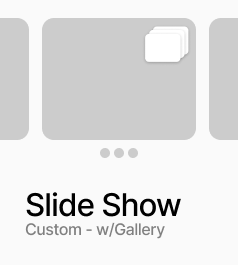
AnopaSlider is a full-featured image and content slider with two source modes. In Slots mode you connect up to 10 Framer component instances as individual slides. In CMS mode you connect a gallery field from a CMS collection and the slider extracts images from it automatically. Three transition types are available: Slide, Fade, and Parallax, each with configurable duration and easing. Navigation controls include arrows, dots, and thumbnails — each independently toggleable. Arrows support three placement options: Sides, Bottom, and Float (positioned anywhere over the slide with alignment and inset controls). Thumbnail strips can be horizontal or vertical, relative or absolutely positioned. Autoplay with configurable interval and pause-on-hover is built in. Drag and swipe are supported on both desktop and touch. All visual styling for arrows, dots, and thumbnails is configurable from the panel.
Property Controls
Mode
slots
Slots = connect Framer component instances as slides. CMS = connect a CMS gallery field and images are extracted automatically.
Slides
1
How many slide slots to expose. Range: 1–10. Only shown in Slots mode.
Gallery Field
—
Connect a CMS gallery field element. Only shown in CMS mode.
Slide 1
—
Component instance for slide 1. Shown when Slides ≥ 1 in Slots mode.
Image
—
Image fit (Cover, Contain, Fill, None), position (Center, Top, Bottom, etc.), and background color. Only shown in CMS mode.
Transition
—
Transition type (Slide, Parallax, Fade), parallax intensity, duration, and easing (Ease, Ease In/Out, Linear, Spring).
Navigation
—
Toggle Arrows, Dots, Thumbnails, and Drag/Swipe on or off independently.
Arrow Style
—
Arrow placement (Sides, Bottom, Float), float alignment and inset, optional grouped container, arrow size, icon color, background, and radius.
Dot Style
—
Dot size, active color, inactive color, and gap between dots.
Thumbnail Style
—
Direction (Row/Column), position (Relative/Absolute), alignment, inset, padding, fill, width, height, gap, radius, active border color/width, and which sides show the active border.
Autoplay
—
Enable toggle, interval in ms, and Pause on Hover toggle.
Loop
true
When on, the slider loops back to the first slide after the last.