Search Summary
Displays a human-readable summary of current search results using {{count}} and {{query}} placeholders, only when a search query is active.
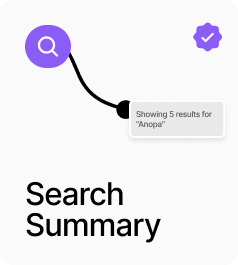
AP_SearchSummary displays a human-readable description of the current search results, such as “Showing 4 results for Relaxed Overcoat”. It supports two template strings: one for results found and one for zero results, each with {{count}} and {{query}} placeholders. The component only renders when a search query is active — either from the store (live typing) or from a ?q= URL parameter — so it is safe to place anywhere in a layout without showing on non-search pages. Canvas preview values let you style it without a live search session.
Property Controls
Template
Showing {{count}} results for "{{query}}"
Message shown when results are found. Use {{count}} for the result count and {{query}} for the search term.
Zero Results
No results for "{{query}}"
Message shown when the search returns no results. Use {{query}} for the search term.
Font
14px / 1.4em
Typography for the summary text.
Color
#111111
Text color for the summary.
Preview Count
4
Canvas-only preview value for {{count}}. Has no effect at runtime.
Preview Query
Relaxed Overcoat
Canvas-only preview value for {{query}}. Has no effect at runtime.