Market Content
Conditionally renders its children only when the active market matches a specified market handle or list of handles.
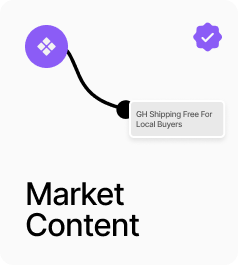
AP_MarketContent conditionally shows or hides its content based on whether the active market matches a set of country codes. In Show When Active mode the Content slot renders when the market matches and the optional Fallback slot renders when it does not. In Hide When Active mode the logic inverts. Leave Country Codes empty to match all markets. A canvas preview toggle lets you switch between the Content and Fallback slots while designing. Use this for region-specific messaging, currency notes, shipping banners, or any content that should only appear for certain markets.
Property Controls
Country Codes
—
Comma-separated ISO 3166-1 alpha-2 country codes to match against the active market. e.g. GH, US, GB. Leave empty to match all markets.
Mode
show
Show When Active = renders Content slot when the market matches, Fallback when it does not. Hide When Active = inverts the logic.
Content
—
The slot shown when the market condition is met.
Fallback
—
Optional slot shown when the market condition is not met. Renders nothing if left empty.
Preview
active
Canvas toggle to preview either the Content slot (Active) or the Fallback slot (Fallback) while designing.