Country Flag
Renders the flag emoji for the currently active market's country and updates automatically when the market changes.
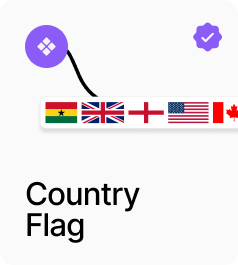
AP_CountryFlag renders a country flag image and updates automatically when the active market changes. In Active mode it reads the country code from the current market. In Static mode it displays a fixed country regardless of the active market. Flags are served as images using the two-letter ISO 3166-1 alpha-2 country code, which works on all platforms including Windows. If the image fails to load, the country code is shown as a text fallback. An optional label renders the country name alongside the flag.
Property Controls
Mode
active
Active = shows the flag for the currently selected market, updating automatically. Static = always shows the flag for the specified Country Code.
Country Code
US
ISO 3166-1 alpha-2 country code for the flag to display. e.g. US, GB, GH, FR, DE. Only used in Static mode.
Width
24px
Width of the flag image in px. Height is derived automatically at a 3:4 ratio. Range: 12–120.
Radius
2px
Corner radius of the flag image. 0 = square, 999 = circle. Range: 0–999.
Show Label
false
When on, renders the country name as a text label beside the flag.